Passing an IT certification exam usually takes more than memorizing definitions. Many exams expect candidates to understand how technologies work, recognize realistic scenarios, troubleshoot problems, and apply concepts under pressure.
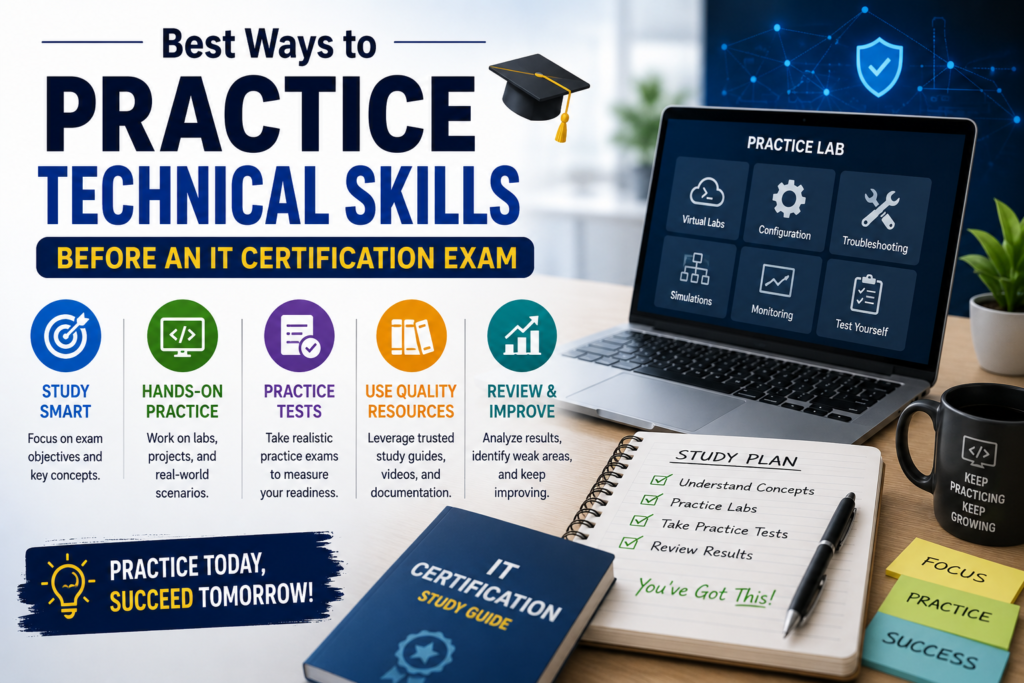
The best way to practice technical skills before an IT certification exam is to combine hands-on labs, simulations, troubleshooting exercises, mini projects, and exam-style questions. This builds practical confidence while helping you understand how technical knowledge may appear in an exam.
Why Technical Practice Matters Before an IT Certification Exam
Technical certifications often test applied knowledge. You may need to choose the correct command, identify a configuration problem, interpret logs, select a security control, or determine how a service should be deployed.
Practical study turns theory into usable knowledge. Instead of only remembering what a technology does, you learn how it behaves when configured or misconfigured.
Technical practice can help you:
- Understand concepts more deeply
- Remember commands and workflows
- Improve troubleshooting skills
- Recognize configuration mistakes
- Connect exam objectives with real tasks
Best Ways to Practice Technical Skills
Use Hands-On Labs
Hands-on labs are one of the most effective practice methods. A lab lets you configure systems, test settings, make mistakes, and repeat tasks safely.
Networking candidates can practice IP addressing, VLANs, routing, and connectivity checks. Cloud candidates can create virtual machines, configure storage, manage permissions, and monitor resources.
After following a guided lab once, repeat it without instructions. That second attempt reveals whether you understand the process or simply copied the steps.
Build a Simple Virtual Home Lab
A home lab is useful for certifications involving operating systems, servers, networking, virtualization, or security. Expensive equipment is not always necessary because virtual machines can reproduce many common environments.
A simple setup may include:
- Windows or Linux virtual machines
- Virtual networking
- A database or web server
- Monitoring or security tools
Keep the environment aligned with the exam objectives. A complicated lab can become a distraction.
Use Official Sandboxes and Training Environments
Technology vendors often provide browser-based labs, trial environments, guided exercises, or learning sandboxes.
Official environments can be especially useful when studying cloud platforms, networking technologies, cybersecurity tools, operating systems, or enterprise applications because they provide a structured environment for practical learning.
Comparing Technical Practice Methods
Different methods develop different abilities. Combining several usually produces better preparation than relying on one.
| Practice Method | Best For | Main Benefit | Main Limitation |
| Hands-on labs | Configuration skills | Practical experience | Requires practice time |
| Practice questions | Exam readiness | Reveals knowledge gaps | Limited hands-on depth |
| Simulators | Technical scenarios | Safe repetition | May differ from real systems |
| Home labs | Deep learning | Flexible practice | Requires setup |
| Mini projects | Applied skills | Connects multiple topics | Takes longer |
Use the method that matches the objective you are studying.
Practice Troubleshooting, Not Only Configuration
Following instructions is easier than diagnosing a broken system. Troubleshooting practice develops the reasoning needed for technical scenario questions.
Create controlled problems yourself. Change a permission, use an incorrect subnet, stop a service, or modify a firewall rule. Then diagnose the issue before checking notes.
Use this process:
- Identify the symptoms.
- Gather relevant information.
- List likely causes.
- Test each cause logically.
- Apply the correction.
- Confirm the system works.
- Record what caused the issue.
Turn Exam Objectives Into Practical Tasks
The official exam blueprint should guide your hands-on practice. Convert action-oriented objectives into tasks you can perform.
If an objective covers identity management, practice creating users, assigning roles, and testing permissions. If it covers networking, configure addresses, routes, security rules, or connectivity tests.
A useful process is:
- Review the latest official exam objectives.
- Highlight technologies and practical actions.
- Create one task for each important objective.
- Perform the task without instructions.
- Repeat weak tasks until they feel familiar.
Use Practice Tests to Identify Weak Skills
Practice tests are valuable when you use the results to decide what to study next. Review every incorrect answer and identify why you missed it.
The cause may be weak theory, forgotten commands, poor scenario interpretation, or limited hands-on experience. Once you know the cause, create a targeted lab or review session.
Candidates using Cert Empire for additional exam-style question practice can pair question review with labs based on the topics they repeatedly miss. Practice questions should support practical learning rather than replace it.
Build Small Projects Around Real Tasks
Mini projects combine multiple technical skills and help you practice without following a fixed tutorial.
Useful project ideas include:
- Deploying a small web server
- Building a basic virtual network
- Configuring users and permissions
- Setting up backups and testing recovery
- Troubleshooting a broken service
Projects like these force you to connect concepts rather than practice them separately. They can also reveal small knowledge gaps that may remain hidden when you only read notes or follow guided exercises.
Challenges and Limitations of Hands-On Practice
Technical practice can become inefficient when it is not focused.
Common problems include:
- Spending too much time setting up labs
- Practicing technologies outside the exam scope
- Copying tutorials without understanding them
- Avoiding difficult troubleshooting tasks
- Using outdated interfaces or commands
The best solution is to connect every lab, project, or simulation to a specific exam objective.
How to Build an Effective Practice Routine
A structured study cycle keeps theory and practical work connected.
- Select one exam domain or objective.
- Study the related documentation.
- Complete a guided lab.
- Repeat the task independently.
- Introduce one troubleshooting problem.
- Answer questions on the same topic.
- Review mistakes and update your notes.
Repeat this cycle across your weakest and highest-priority topics.
Tips and Best Practices
To improve each technical practice session:
- Focus on one objective at a time.
- Record commands you frequently forget.
- Repeat tasks without instructions.
- Rebuild environments from scratch.
- Review failures as carefully as successes.
- Mix configuration with troubleshooting.
- Revisit weak topics regularly.
Consistency matters more than occasional marathon sessions. Frequent practice makes technical workflows easier to remember and explain.
Conclusion
The best ways to practice technical skills before an IT certification exam combine hands-on labs, virtual environments, troubleshooting, mini projects, simulations, and targeted practice questions.
Start with the official exam objectives and turn important topics into practical tasks. Repeat those tasks until you can perform them confidently without step-by-step guidance. Combining practical work with question review prepares you for both real technical situations and exam scenarios.
FAQs
How much hands-on practice is enough before an IT certification exam?
There is no universal number of hours. You are in a stronger position when you can complete important tasks independently, explain the steps, and troubleshoot common errors without constantly checking instructions.
Are labs better than practice tests?
They serve different purposes. Labs build practical ability, while practice tests reveal knowledge gaps and improve familiarity with exam-style scenarios. Most candidates benefit from using both.
Can I practice without expensive hardware?
Yes. Virtual machines, free cloud environments, browser-based labs, sandboxes, simulators, and open-source tools can support many technical certification objectives without requiring costly physical equipment.
Should I use tutorials during hands-on practice?
Tutorials are helpful when learning a task for the first time. Afterward, repeat the activity without instructions so you can confirm that you understand the workflow independently.
What should I practice during the final week?
Focus on weak objectives, troubleshooting, important commands, common configuration tasks, and targeted question review. Avoid starting large projects or studying technologies outside the exam blueprint.
Learn More: How Difficult Is Network+ N10-009 for Beginners?